Add a skill
A skill is the agent's action vocabulary. Pick, PlaceOn, Push,
Wave — each is one verb the planner can invoke. Adding one is 30
lines of Python.
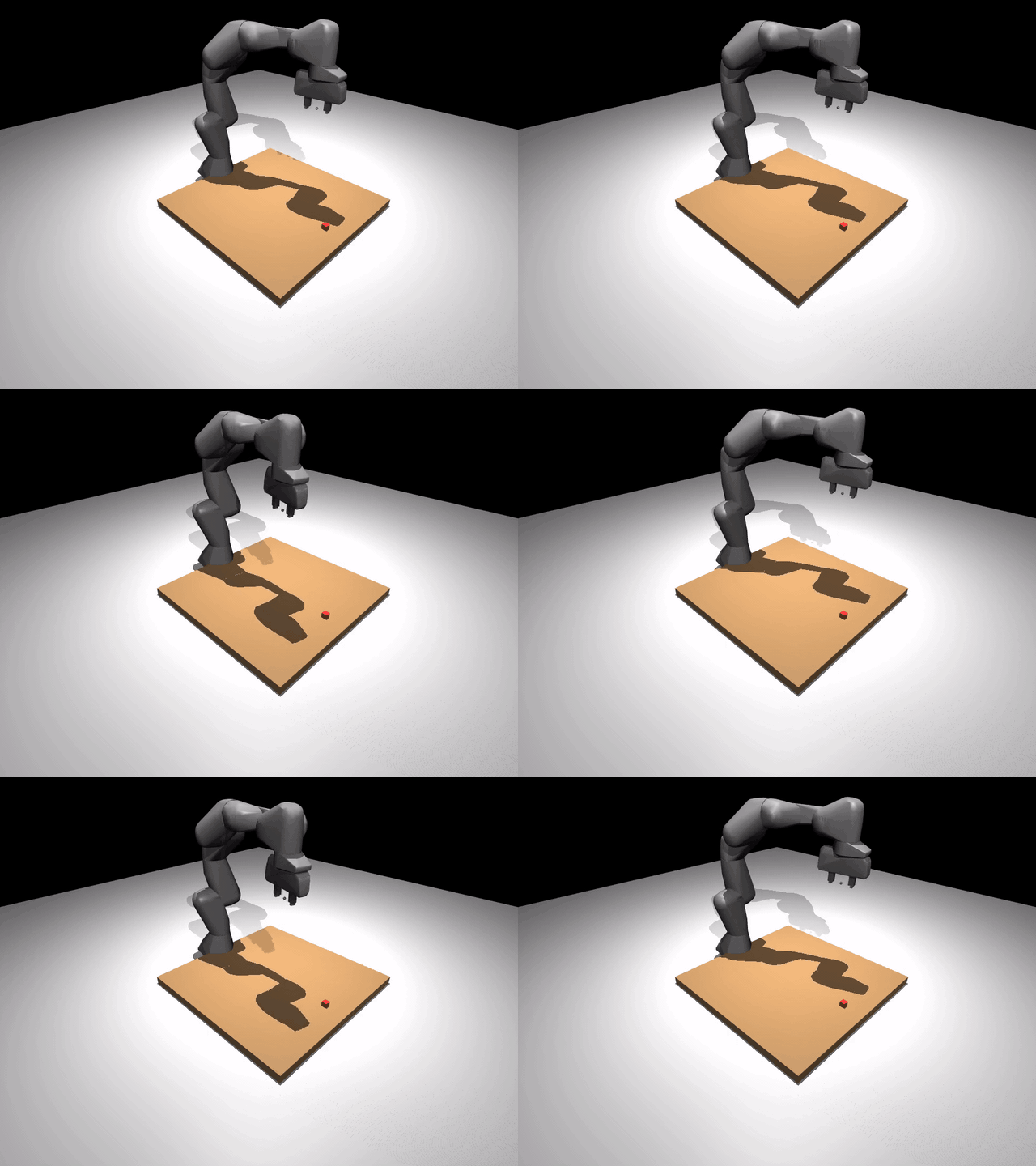
The Franka waving side-to-side. That's a custom Wave skill the core
never shipped — written below, dropped into the agent, called. No core
changes.
The protocol
Every skill satisfies this shape (robosandbox/protocols.py):
class Skill(Protocol):
    name: str                  # unique id the planner calls by
    description: str           # one-line English — shown to the VLM
    parameters_schema: dict    # JSON schema for kwargs

    def __call__(self, ctx: AgentContext, **kwargs) -> SkillResult: ...
Three class attributes and a __call__. The AgentContext hands you
the sim, perception, grasp planner, motion planner, and recorder —
everything you need to actually move.
A minimal skill
# my_wave_skill.py
import math
from robosandbox.agent.context import AgentContext
from robosandbox.types import SkillResult


class Wave:
    name = "wave"
    description = "Wave hello — oscillate the base joint through a few cycles."
    parameters_schema = {
        "type": "object",
        "properties": {
            "cycles": {
                "type": "integer",
                "description": "Number of back-and-forth cycles (default 2).",
                "minimum": 1, "maximum": 10,
            },
        },
        "required": [],
    }

    def __call__(self, ctx: AgentContext, *, cycles: int = 2) -> SkillResult:
        obs = ctx.sim.observe()
        start = obs.robot_joints.copy()
        amplitude = 0.6               # radians of sway on joint 0
        steps_per_cycle = 200
        for i in range(cycles * steps_per_cycle):
            phase = 2 * math.pi * (i / steps_per_cycle)
            target = start.copy()
            target[0] = float(start[0] + amplitude * math.sin(phase))
            ctx.sim.step(target_joints=target)
            if ctx.on_step is not None:
                ctx.on_step()
        return SkillResult(success=True, reason="waved", artifacts={"cycles": cycles})
That's the whole skill. 30 lines.
Three things to notice:
ctx.sim.step(target_joints=...)is the only way the arm moves. Everything else (perception, IK, grasping) is helpers you don't need for a motion primitive.ctx.on_step()callback, if set by the recorder or viewer, lets those layers capture/stream a frame after each sim step. Call it every step if you want your skill's motion to show up in recordings.- Return a
SkillResult.success=True/False, areasonslug (machine-readable), optionalreason_detail(human-readable), andartifactsdict for anything the agent loop might log.
Invoke it directly
For a motion primitive you want to trigger from Python:
from pathlib import Path
from robosandbox.agent.context import AgentContext
from robosandbox.grasp.analytic import AnalyticTopDown
from robosandbox.motion.ik import DLSMotionPlanner
from robosandbox.perception.ground_truth import GroundTruthPerception
from robosandbox.recorder.local import LocalRecorder
from robosandbox.sim.mujoco_backend import MuJoCoBackend
from robosandbox.tasks.loader import load_builtin_task
from my_wave_skill import Wave

task = load_builtin_task("pick_cube_franka")
sim = MuJoCoBackend(render_size=(720, 960), camera="scene")
sim.load(task.scene)
for _ in range(100): sim.step()  # settle

ctx = AgentContext(
    sim=sim,
    perception=GroundTruthPerception(),
    grasp=AnalyticTopDown(),
    motion=DLSMotionPlanner(),
    recorder=LocalRecorder(Path("runs")),
)

result = Wave()(ctx, cycles=3)
print(result.success, result.reason)
# True waved
That's the shortest path from a new skill file to seeing it run.
Expose it to the planner
For the agent loop to invoke it from a natural-language task, add the
skill to the skills= list you pass to Agent:
from robosandbox.agent.agent import Agent
from robosandbox.agent.planner import VLMPlanner
from robosandbox.skills.pick import Pick
from robosandbox.skills.place import PlaceOn
from my_wave_skill import Wave

skills = [Pick(), PlaceOn(), Wave()]   # Wave now in the vocabulary
planner = VLMPlanner(vlm_client, skills=skills)
agent = Agent(ctx, skills=skills, planner=planner)
agent.run("wave hello then pick up the red cube")
VLMPlanner feeds each skill's name / description /
parameters_schema to the model as an OpenAI tool definition. The
model will call wave({"cycles": 3}) when appropriate.
StubPlanner doesn't auto-discover — it uses a fixed regex grammar. If
you want stub-planner coverage, either extend its grammar (see
agent/planner.py) or write a tiny custom planner that maps your
task strings to SkillCall("wave", {...}).
Ship it as a plugin package
When your skill outgrows one file, package it like this:
# pyproject.toml of robosandbox-wave/
[project.entry-points."robosandbox.skills"]
wave = "robosandbox_wave:Wave"
Anyone who pip install robosandbox-wave gets the skill auto-discovered
by any code that loads the robosandbox.skills entry-point group. This
is how the bundled Pick, PlaceOn, Push, Home, Pour, Tap,
OpenDrawer, CloseDrawer, Stack are all registered (see
packages/robosandbox-core/pyproject.toml).
Design tips
One verb, one skill. Pick picks; it doesn't also place. Small
skills compose; giant skills are un-plannable.
Fail loudly. If perception doesn't find the object, return
SkillResult(success=False, reason="object_not_found") so the agent can
see it and replan. Don't silently succeed on a bad input — the verify
step downstream will just log confusing "rose 0mm" failures.
Verify the post-condition. Pick checks the object rose 50 mm
before returning success. Wave is a motion primitive with no
post-condition worth checking, so it just returns success. Pick the
right level for your skill.
Call ctx.on_step() inside long motions. Without it, the viewer
freezes until the skill returns and the recorder captures nothing —
your skill will look instantaneous or get cropped out of videos.
What's next
- Bring your own robot — different URDF, same skills.
- Bring your own object — different mesh, same skills.