Bring your own robot
To try a new robot in RoboSandbox, you usually need two things: the robot description itself and a small sidecar YAML that fills in the pieces a URDF does not describe.
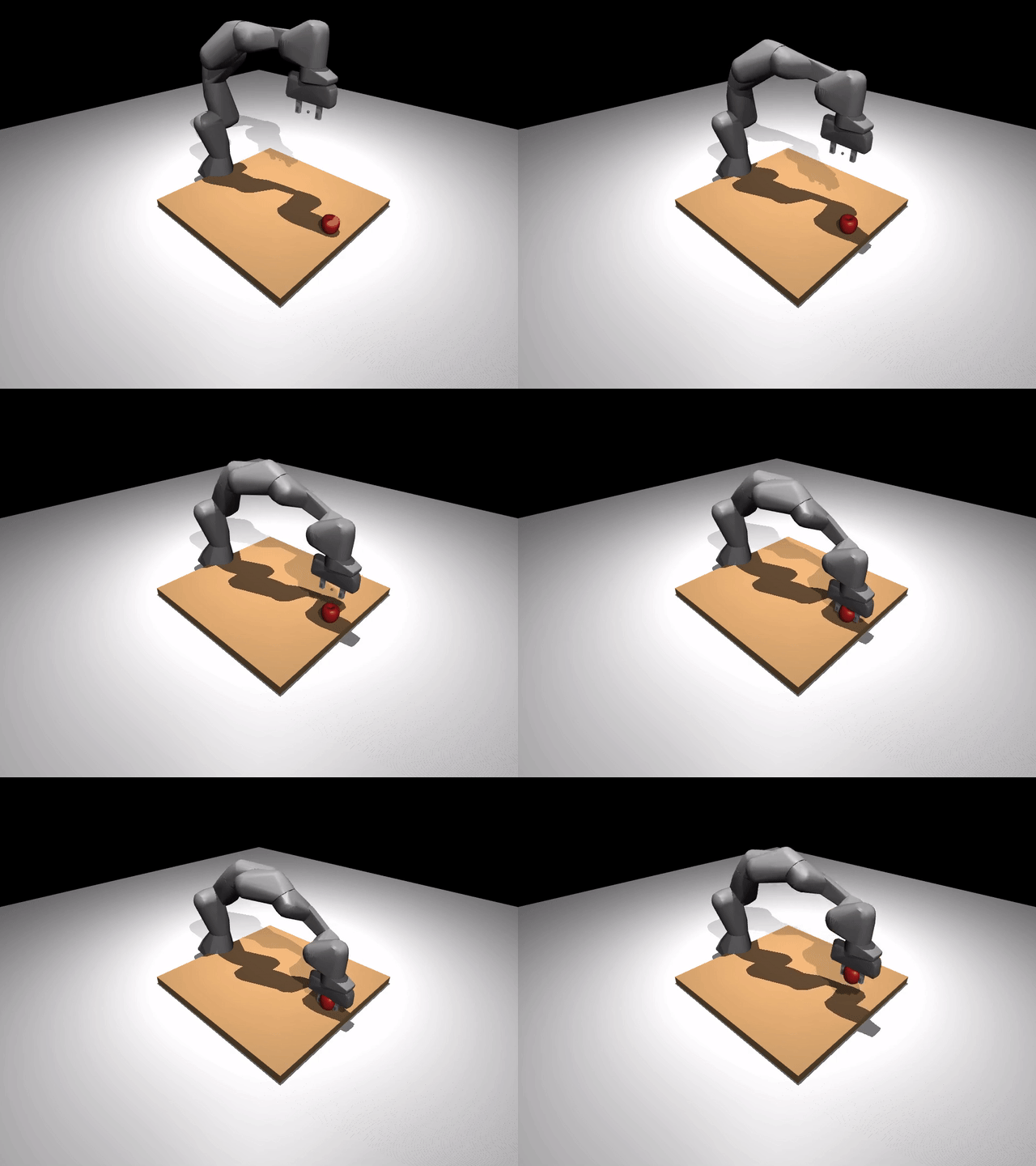
Watch a short walkthrough of the embodiment swap
The Franka above is loaded through the same path you would use for your own robot. There is no special-case Franka code in the skill layer.
Why a sidecar YAML?
A URDF describes geometry and joints. It does not say things RoboSandbox needs to know:
| Question | URDF knows? |
|---|---|
| Which joint is the primary gripper finger? | no |
| Where does the TCP (tool-center point) sit relative to the hand frame? | no |
| What qpos counts as "gripper open" vs "closed"? | no |
| Which pose is "home"? | no |
| Where should the base sit in the workspace? | no |
RoboSandbox reads a *.robosandbox.yaml sidecar next to the URDF to
answer those questions. Keeping that information separate means the URDF
can stay close to upstream while the sandbox-specific integration logic
lives in a small, diff-friendly file.
Run the acceptance test
The easiest way to sanity-check the path is to run the bundled Franka task end to end:

Expected output:
TASK               SEED  RESULT   SECS  REPLANS DETAIL
------------------------------------------------------------------------
pick_cube_franka   0     OK        1.6        0 dz_mm=166.905, min_mm=50.000

SUMMARY: 1/1 successful
dz_mm=166 means the cube rose 166 mm off the table, comfortably above
the 50 mm success threshold.
The bundled sidecar, annotated
This is the sidecar that ships with the bundled Franka
(packages/robosandbox-core/src/robosandbox/assets/robots/franka_panda/panda.robosandbox.yaml).
Read it top to bottom. Every field maps back to one of the questions
above.
arm:
  # The 7 arm joints, in IK / trajectory order.
  joints: [joint1, joint2, joint3, joint4, joint5, joint6, joint7]
  actuators: [actuator1, actuator2, actuator3, actuator4, actuator5, actuator6, actuator7]
  # Home pose. Must land the hand in a reachable, non-singular
  # configuration above the table.
  home_qpos: [0.0, 0.0, 0.0, -1.57079, 0.0, 1.57079, -0.7853]

gripper:
  joints: [finger_joint1, finger_joint2]
  primary_joint: finger_joint1     # the one skills drive; the other mirrors
  actuator: actuator8
  open_qpos: 0.04                  # ~80 mm between fingertips
  closed_qpos: 0.0

ee_site:
  # RoboSandbox injects a <site> into the MJCF at this offset from the
  # given body. The Franka TCP is 0.1034 m along +Z from the hand-flange.
  inject:
    attach_body: hand
    xyz: [0.0, 0.0, 0.1034]

base_pose:
  # Where the robot's base sits in the world. Picks the workspace.
  xyz: [-0.3, 0.0, 0.0]
That is the whole interface.
Use your own URDF
There are two normal ways to do this:
1. Write a task YAML
Drop your URDF, sidecar, and a task description into a YAML file:
# tasks/definitions/my_ur5_pick.yaml
name: my_ur5_pick
prompt: "pick up the red cube"
scene:
  robot_urdf: /path/to/ur5.urdf            # .urdf or .xml (MJCF)
  robot_config: /path/to/ur5.robosandbox.yaml
  objects:
    - id: red_cube
      kind: box
      size: [0.015, 0.015, 0.015]
      pose:
        xyz: [0.5, 0.0, 0.06]
      rgba: [0.85, 0.2, 0.2, 1.0]
      mass: 0.05
success:
  kind: lifted
  object: red_cube
  min_mm: 50
Run it:
2. Build a Scene in Python
from pathlib import Path
from robosandbox.types import Scene, SceneObject, Pose

scene = Scene(
    robot_urdf=Path("/path/to/ur5.urdf"),
    robot_config=Path("/path/to/ur5.robosandbox.yaml"),
    objects=(
        SceneObject(
            id="red_cube", kind="box",
            size=(0.015, 0.015, 0.015),
            pose=Pose(xyz=(0.5, 0.0, 0.06)),
            rgba=(0.85, 0.2, 0.2, 1.0),
            mass=0.05,
        ),
    ),
)
Then pass the Scene to MuJoCoBackend.load(scene).
Writing the sidecar for a new URDF
Three fields do most of the work:
arm.joints— the DoF chain your IK solver drives. List names in proximal-to-distal order.ee_site.inject.{attach_body, xyz}— where is the "tip" of your end-effector? For a parallel gripper this is the point between the closed fingertips. IK aims at this point.gripper.open_qpos/closed_qpos— the width at which your gripper counts as open vs. closed. Skills likePickcallset_gripper(closed=1.0)and trust your mapping.
The quickest sanity check is to load the task in the viewer and inspect the scene before you spend time on IK. You want the base placement, home pose, and tool-center point to look right before you debug anything else.
Troubleshooting
| Symptom | Likely cause |
|---|---|
| "Unreachable" on first approach | home_qpos is in a singular config; try a slightly bent elbow |
| Gripper opens but nothing grasps | ee_site.xyz is offset wrong — IK is aiming next to the fingers, not between them |
| Arm drives through the table | base_pose.xyz.z puts the mounting plane below the table; raise it |
| Joint-limit clipping every iteration | sidecar joints list skipped one, so IK's DoF count is wrong |
What's next
- Bring your own object — drop a YCB mesh or a bring-your-own OBJ into the same scene.
- Add a skill — extend the action vocabulary your planner can call.