Bring your own task
A task in RoboSandbox is just a YAML file: scene, prompt, and success
criterion. If you add a randomize: block, you also get seeded scene
variation for benchmark runs.
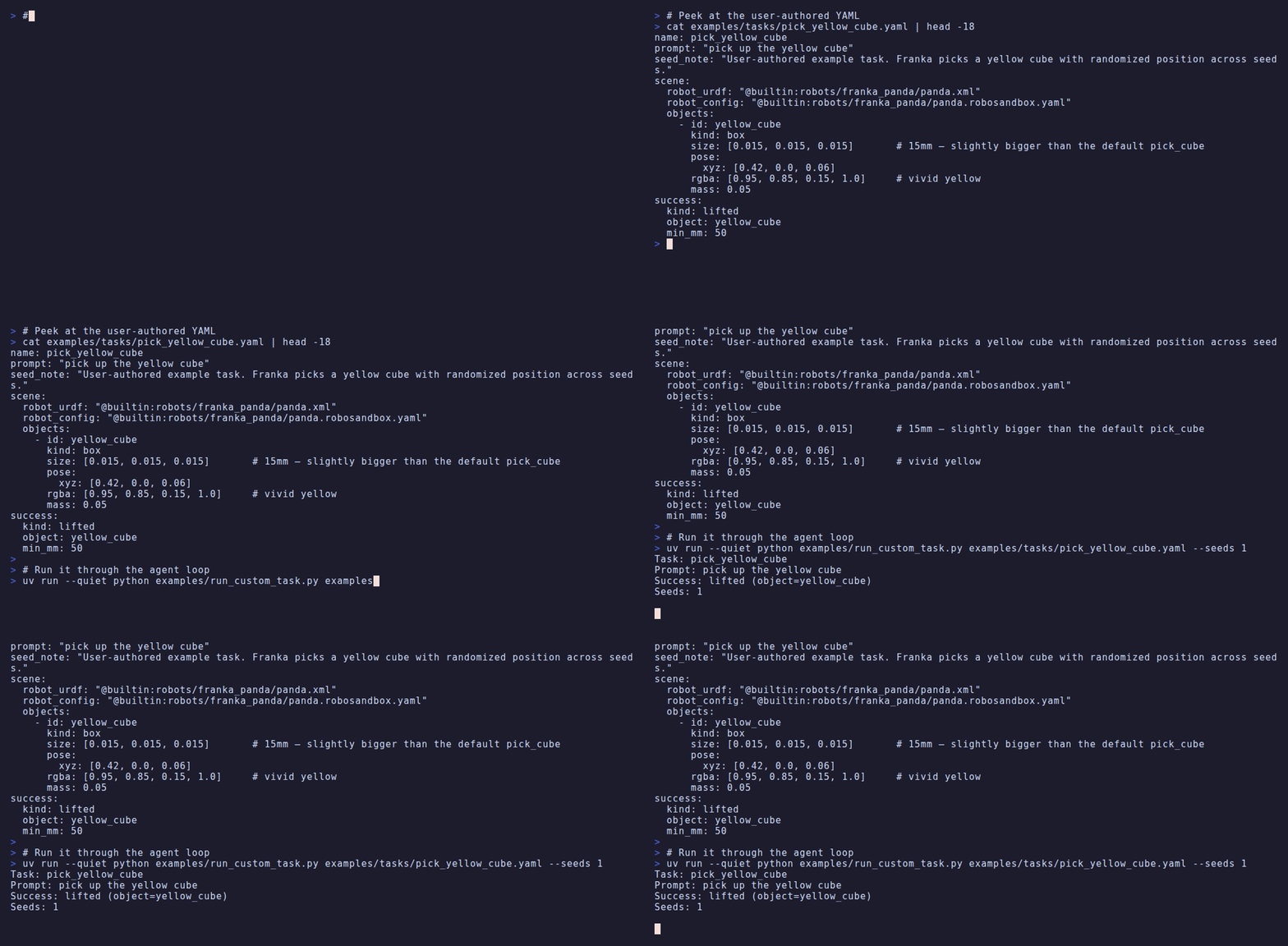
Watch a short walkthrough of task authoring
The agent and skill code do not change. You are only changing the task description.
The shape of a task
name: pick_yellow_cube                              # task id
prompt: "pick up the yellow cube"                   # natural language
seed_note: "User-authored example task."            # free-form metadata

scene:
  robot_urdf: "@builtin:robots/franka_panda/panda.xml"
  robot_config: "@builtin:robots/franka_panda/panda.robosandbox.yaml"
  objects:
    - id: yellow_cube
      kind: box
      size: [0.015, 0.015, 0.015]                   # 15mm
      pose:
        xyz: [0.42, 0.0, 0.06]
      rgba: [0.95, 0.85, 0.15, 1.0]
      mass: 0.05

success:
  kind: lifted                                      # declarative check
  object: yellow_cube
  min_mm: 50

randomize:
  xy_jitter: 0.04                                   # ±4 cm on each axis
  yaw_jitter: 0.52                                  # ±30° about z
That is enough to run the task, score it, and regenerate the same setup from a seed.
The file above lives at
examples/tasks/pick_yellow_cube.yaml.
Run it
The built-in benchmark only knows the bundled tasks by name. For your own YAML, use the wrapper script:
Output:
Task: pick_yellow_cube
Prompt: pick up the yellow cube
Success: lifted (object=yellow_cube)
Seeds: 3

  seed=0  OK   wall=1.2s  reason=plan_complete
  seed=1  OK   wall=1.2s  reason=plan_complete
  seed=2  OK   wall=1.1s  reason=plan_complete

SUMMARY: 3/3 successful
The wrapper is short:
examples/run_custom_task.py — it just calls
load_task(path) + jitter_scene(scene, spec, seed) + the same
Agent + StubPlanner the bench uses.
Alternative: copy it into the built-in task dir
If you are working inside a fork and do not mind modifying the repo tree, you can skip the wrapper:
cp my_task.yaml packages/robosandbox-core/src/robosandbox/tasks/definitions/
uv run robo-sandbox-bench --tasks my_task --seeds 3
Success criteria
Core ships five declarative success checks in tasks/loader.py:
kind: |
Check |
|---|---|
lifted |
object's z rose ≥ min_mm mm |
moved_above |
object ended inside xy_tol of a target object, above it by ≥ min_dz |
displaced |
object moved ≥ min_mm in a named direction (forward/back/left/right) |
all |
every sub-criterion in checks: holds |
any |
at least one sub-criterion holds |
Example compound check:
success:
  kind: all
  checks:
    - {kind: lifted,       object: widget, min_mm: 30}
    - {kind: moved_above,  object: widget, target: tray, xy_tol: 0.03, min_dz: 0.01}
This means "lifted at least 3 cm and ended above the tray." There is no arbitrary Python callback in the task file.
Randomization
The randomize: block lets each seed vary the scene:
Seed 0 always produces the declared pose (bit-exact with no randomize). Seeds ≥ 1 sample deterministic perturbations from the seed — rerun with the same seed, get the same layout.
When you run multiple seeds, the benchmark reports mean ± stderr per
task and writes the results to benchmark_results.json.
Object kinds
The objects: list supports four kinds:
- id: box_1                   # primitive box
  kind: box
  size: [0.04, 0.04, 0.04]
  pose: {xyz: [0.4, 0.0, 0.02]}

- id: ball                    # primitive sphere
  kind: sphere
  size: [0.025]               # radius
  pose: {xyz: [0.35, 0.1, 0.03]}

- id: mug                     # bundled YCB mesh (see Bring Your Own Object)
  kind: mesh
  mesh: "@ycb:025_mug"
  pose: {xyz: [0.42, 0.0, 0.045]}

- id: drawer_a                # articulated cabinet with handle
  kind: drawer
  size: [0.15, 0.1, 0.06]
  pose: {xyz: [0.5, -0.2, 0.04]}
See Bring your own object for mesh import (YCB shorthand + bring-your-own OBJ/STL via CoACD).
A practical authoring workflow
- Copy an existing task:
- Edit the object layout, prompt, and success criterion.
- Preview the scene before you run the agent:
- Run the agent:
- Adjust
randomize:until seed0..19gives you a spread that is actually useful.
What's next
- Bring your own object — mesh + custom geometry.
- Bring your own robot — different URDF in the
scene:block. - Replan loop — what happens when your success criterion fails.