Bring your own object
You can either use one of the bundled YCB objects or point RoboSandbox at your own OBJ/STL and let it build collision geometry for you.
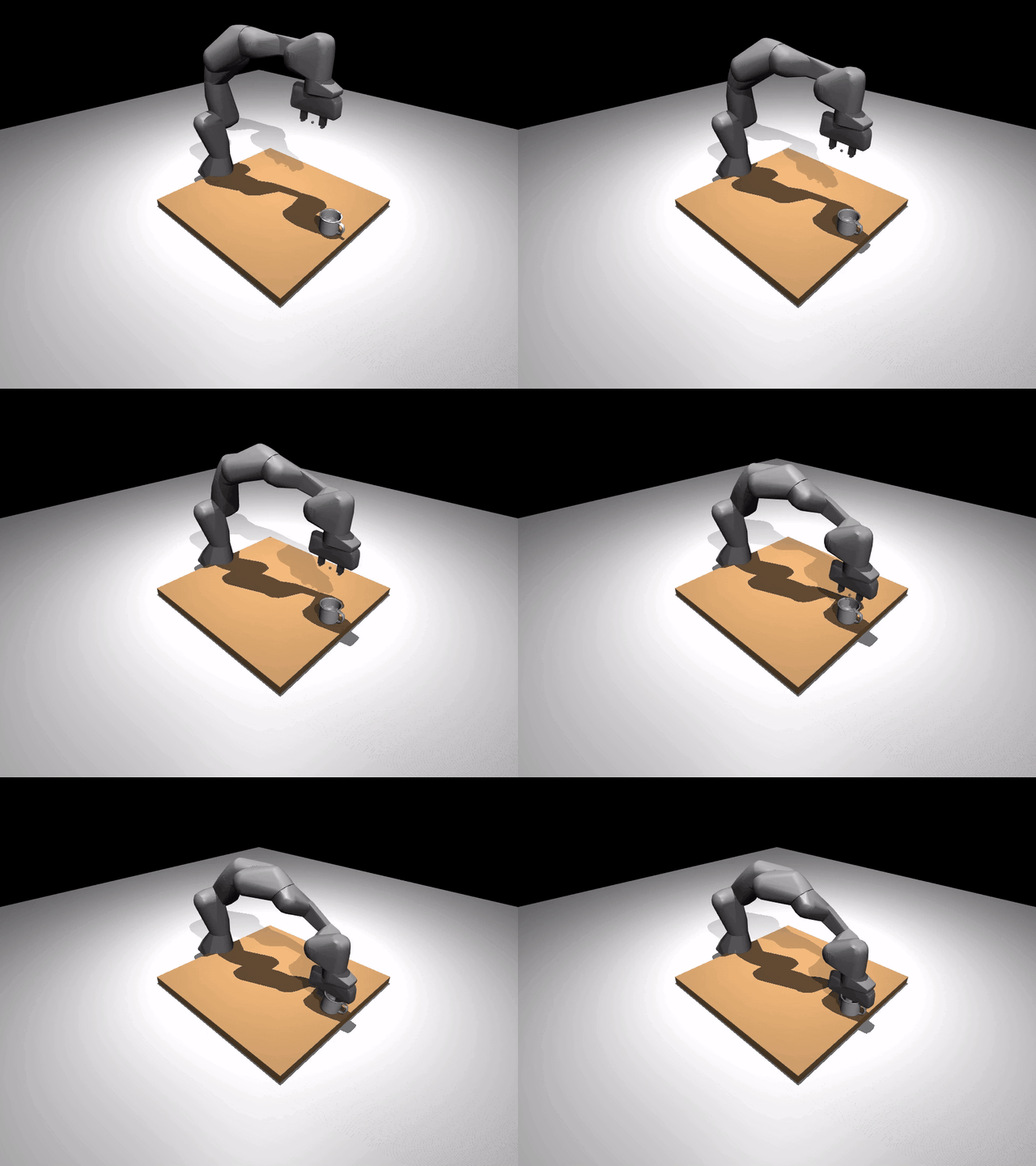
The mug above is a good example of why this matters: it is concave, handled, and awkward enough that a simple primitive approximation would not be useful.
The 10 bundled YCB objects
These ship with RoboSandbox under assets/objects/ycb/:
@ycb: id |
Object | Mass (kg) |
|---|---|---|
003_cracker_box |
cracker box | 0.411 |
005_tomato_soup_can |
tomato soup can | 0.349 |
006_mustard_bottle |
mustard bottle | 0.603 |
011_banana |
banana | 0.066 |
013_apple |
apple | 0.068 |
024_bowl |
bowl (11 hulls) | 0.147 |
025_mug |
mug (handled; 15 hulls) | 0.118 |
035_power_drill |
power drill | 0.895 |
042_adjustable_wrench |
adjustable wrench | 0.252 |
055_baseball |
baseball | 0.148 |
Each one is pre-authored in the repo and referenced with the
@ycb:<id> shorthand in task YAML.
Drop one into a task
# tasks/definitions/my_mug_task.yaml
name: my_mug_task
prompt: "pick up the mug"
scene:
  robot_urdf: "@builtin:robots/franka_panda/panda.xml"
  robot_config: "@builtin:robots/franka_panda/panda.robosandbox.yaml"
  objects:
    - id: mug
      kind: mesh
      mesh: "@ycb:025_mug"    # the shorthand — resolves to the bundled asset
      pose:
        xyz: [0.42, 0.0, 0.045]
success:
  kind: lifted
  object: mug
  min_mm: 50
Run it:

Typical output:
TASK           SEED  RESULT   SECS  REPLANS DETAIL
----------------------------------------------------------------------
pick_ycb_mug   0     OK        1.2        0 dz_mm=105.272, min_mm=50.000

SUMMARY: 1/1 successful
From Python
from pathlib import Path
from robosandbox.types import Scene, SceneObject, Pose
from robosandbox.tasks.loader import list_builtin_ycb_objects

print(list_builtin_ycb_objects())
# ['003_cracker_box', '005_tomato_soup_can', ..., '055_baseball']

scene = Scene(
    robot_urdf=Path(".../franka_panda/panda.xml"),
    robot_config=Path(".../franka_panda/panda.robosandbox.yaml"),
    objects=(
        SceneObject(
            id="mug", kind="mesh",
            mesh_sidecar=Path(".../ycb/025_mug/mug.robosandbox.yaml"),
            size=(),                          # mesh objects don't use size
            pose=Pose(xyz=(0.42, 0.0, 0.045)),
        ),
    ),
)
Bring your own OBJ/STL
For objects that are not in the bundled YCB set, RoboSandbox decomposes
your mesh with
CoACD and caches the hulls at
~/.cache/robosandbox/mesh_hulls/.
Option A — decompose at runtime
from robosandbox.types import SceneObject, Pose

SceneObject(
    id="widget", kind="mesh",
    mesh_path=Path("/abs/path/to/widget.obj"),
    collision="coacd",                        # or "hull" if the mesh is already convex
    pose=Pose(xyz=(0.4, 0.0, 0.05)),
    mass=0.1,
)
The first load runs CoACD, which can take a while depending on the
mesh. Later loads hit the cache. If the mesh is already convex,
collision="hull" skips decomposition.
Option B — pre-decompose once
Use scripts/decompose_mesh.py, which is the same tool used to author
the bundled YCB assets:
uv run python scripts/decompose_mesh.py \
  --input /path/to/drill.obj \
  --out-dir assets/objects/custom/drill \
  --name drill \
  --mass 0.3 \
  --center-bottom
Output:
assets/objects/custom/drill/
├── drill_visual.obj          # original mesh for rendering
├── drill_hull_0.obj          # N convex hulls for collision
├── drill_hull_1.obj
├── ...
└── drill.robosandbox.yaml    # sidecar listing meshes + physics params
This is the same general shape as the bundled YCB assets.
The sidecar schema
A <name>.robosandbox.yaml sidecar carries the physics parameters for a
mesh. The bundled mug looks like this:
visual_mesh: mug_visual.obj         # relative to sidecar dir
collision_meshes:                    # list of convex hulls — MuJoCo needs these
- mug_hull_0.obj
- mug_hull_1.obj
# ...15 hulls total for the mug
scale: 1.0
mass: 0.118                          # kg
friction: [1.5, 0.1, 0.01]           # tangential, torsional, rolling
rgba: [0.85, 0.85, 0.9, 1.0]
Why convex decomposition?
MuJoCo's contact solver works on convex geoms. A concave object like a mug will otherwise behave like a much cruder convex hull. CoACD splits that mesh into convex parts so the physics is usable while the visual mesh stays the same.
Troubleshooting
| Symptom | Likely cause |
|---|---|
| "mesh not found: @ycb:..." | Object id typo; run list_builtin_ycb_objects() to see valid ids |
| Gripper closes through the object | Used collision="hull" on a concave mesh; switch to collision="coacd" |
| Object sinks into the table on spawn | pose.xyz.z is below the mesh's min-z; re-run decompose_mesh.py with --center-bottom |
| CoACD runs every boot | Cache miss — check ~/.cache/robosandbox/mesh_hulls/ is writable |
What's next
- Bring your own robot — the other axis of scene customization.
- Add a skill — teach the agent new verbs.